


Justin Guitar Lessons & Songs
4.53.04K Reviews
App Specs
- Version
- 3.26.0
- Updated On
- License
- Free
- Downloads
- 1,000,000+
- Developer
- Musopia
- Categories
- Education
- Platform
- Android
Screenshots
 Analysis by AppCompare
When I want to learn a song on guitar, I’d rather spend my practice time making music than guessing what to work on next. Justin Guitar Lessons & Songs is aimed at that kind of learner: it’s an education app from Musopia built around guitar instruction, with an average rating of 4.4 from around 24,000 ratings and more than a million installs. That reach makes it a familiar option for beginners, but what matters most is whether its teaching style and paid extras suit the way you want to learn.
What the free download means in practice
The app is free to download, so you can try it without paying upfront. It also offers in-app purchases, with listed prices ranging from $2.49 to $249.99 per item. That is a wide span, so I would treat the free entry point and the paid options as separate questions: first decide whether the teaching approach works for you, then look closely at the price and contents of any purchase before committing.
I wouldn’t assume that every lesson or song is included at no cost, or that one purchase unlocks everything. The sensible approach is to explore the free experience, identify the material you actually want, and check the individual purchase details in the app. If you are comparing it with free video lessons, remember that “free” can still come with a trade-off: you may need to search across clips and build your own practice sequence. Here, the value depends on how much you appreciate having learning material organized in one place.
Where the teaching can earn its keep
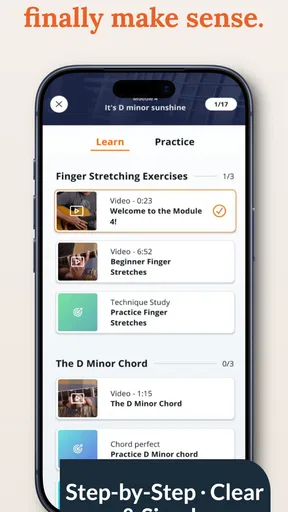
For a new player, the strongest potential value is structure. A guitar can feel awkward at first: chord shapes hurt, transitions are slow, and it is easy to jump between tutorials without building a steady foundation. A guided lesson path can help turn that scattered browsing into a more deliberate routine. I’d use one lesson to focus on a single practical goal, such as changing between a pair of chords cleanly, rather than trying to absorb a whole topic in one sitting.
That approach also makes the app useful to someone returning after a long break. You may remember a few chords but have lost the habit of practicing, or find that your timing is less reliable than you thought. Instead of starting over blindly, use the instruction to spot gaps and revisit fundamentals. Being willing to slow down is not a setback; it can prevent old habits from becoming harder to correct.
Song learning can give practice a clear payoff, especially if you already have a tune in mind. I’d treat a song as a way to apply technique, not as a shortcut around it: isolate a difficult change, rehearse it slowly, and then bring it back into the full progression. That small loop—learn a piece, work on the sticking point, try again—usually feels more rewarding than repeatedly playing a song from the beginning and hoping the tricky part fixes itself.
How the lessons fit into everyday practice
A realistic session might be ten minutes after dinner, when setting up a formal lesson with a private teacher would be impractical. I’d tune first, spend a few minutes on the current exercise, and finish by trying the same skill in a song. On a busier day, even a short, focused session can keep a new chord shape familiar. The key is to choose one task before opening the app, so browsing does not take up the time you meant to spend playing.
Worth Reading Before You Choose

EA SPORTS FC Mobile 26 Is a Bigger Football Game, but It Takes Time

Flipboard Shows What News Apps Must Do Beyond the Feed

Switching to Android Auto Means Rethinking Your Driving Routine

Google Calendar Makes a Crowded Week Easier to Manage

Ludo King Makes the Most of the Minutes Between Plans

Baby Panda World Brings Quick Play to Modern Phones, but Its Game Library Feels Busy
Making short sessions more useful
One non-obvious habit that helps is keeping a tiny practice note outside the lesson itself: write down the chord change or rhythm that still feels unreliable. When you return, start there instead of replaying material you already know. This makes it easier to notice whether you are improving, even if the app’s guided path is not the only record you use. It also keeps a short session from turning into a tour of menus and lesson previews.
Another useful trade-off is choosing accuracy over speed. If a progression falls apart when you play along, slow your hands down and make each chord ring clearly before trying to keep up. A backing track can make practice more enjoyable, but it can also tempt a beginner to chase the beat before the fingers are ready. I’d use play-along material as a test after practicing the difficult change on its own, not as the only way to learn it.
If you already know the basics, you can make the experience more targeted by treating lessons as a reference rather than following every step in order. Pick the skill you want to polish, try the explanation, and then test it on music you enjoy. That is often more satisfying than repeating beginner material just because it appears first. The exception is when a supposedly familiar technique still sounds uneven; in that case, revisiting the foundations can reveal a timing or fingering issue you have been overlooking.
How it compares with other ways to learn
Compared with searching for individual guitar videos, an app-based lesson experience can feel more coherent: you spend less time deciding what to watch next and more time following a teaching sequence. The trade-off is that a fixed learning path may not match every player’s musical interests or pace. Video platforms offer a broad choice of teachers and styles, while private lessons can provide direct feedback on your posture, hand movement, and sound. This app is more appealing when you want guided practice on your own schedule than when you need a teacher to listen and correct you in real time.
It also makes sense to distinguish learning songs from learning musicianship. A song can keep you motivated, but it does not automatically teach you how to diagnose buzzing strings, build a consistent rhythm, or adapt a chord shape to your own hands. If you find yourself stuck on a physical technique, a live teacher or a carefully chosen specialist tutorial may be a better next step than repeating the same lesson. I see the app as a practical learning companion, not a guarantee that every guitar question can be solved inside one interface.
Who is likely to get the most from it
I’d recommend trying it if you are a beginner who wants a guided starting point, a returning player who needs to rebuild a routine, or a self-directed learner who likes pairing instruction with songs. It is also a reasonable fit if you have brief pockets of free time and want to practice without arranging a lesson at a fixed hour. The Teen content rating is worth noting for families deciding whether the app suits a younger learner, while the teaching itself is most valuable when the player is ready to practice consistently rather than only browse lessons.
It may be a poor fit if you need immediate personal feedback, have a specific advanced goal that calls for specialist instruction, or already follow a teacher whose plan works well for you. It may also frustrate someone who expects every part of the experience to be free: the download costs nothing, but optional purchases are part of the model, and the listed range reaches from a few dollars to a much larger one-time item. I would not buy anything simply because it is offered; first make sure the included material matches your level and the way you want to study.
What to check before paying
Before making a purchase, I’d ask myself three practical questions. Does this material address a skill I am actively trying to improve? Can I see myself using it regularly, rather than leaving it untouched after the first week? And is the price of that specific item comfortable for me? Those checks matter more than the headline price range, because the value of a guitar course depends on whether it fits your goals and becomes part of your routine.
For a first session, keep expectations modest. You do not need to master a full song or move through several lessons to decide whether the teaching clicks. Try a small section, notice whether the explanation helps you understand what to do with your fingers, and return to it the next day. If the material leaves you unsure how to practice, that is useful information too; a different teacher or a one-to-one lesson may explain the same problem in a way that works better for you.
A measured recommendation
Musopia’s app has been available since December 8, 2016, and version 3.23.1 is the current version. It is rated for Teen users. Those details give a little context, but they do not decide whether it is right for your guitar journey; the more personal question is whether its lessons help you play with more confidence and make practice easier to maintain.
My verdict is to start with the free download and judge it by a few focused practice sessions. The app’s educational approach and song-based learning can offer real value if you want structure without committing to scheduled, face-to-face lessons. Just keep the limits in view: paid items need individual scrutiny, self-guided lessons cannot watch your technique, and a song library alone will not replace patient practice. If that balance suits you, Justin Guitar Lessons & Songs is worth exploring; if you need tailored correction or a very specific advanced curriculum, I’d look for a teacher or a more specialized option instead.
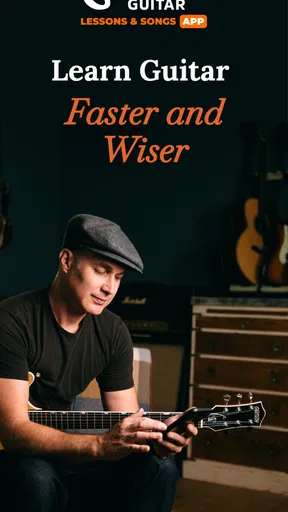
Hey there! So, if you're like me and have always wanted to pick up a guitar and actually play something that doesn’t make people cringe, then you might want to check out the Justin Guitar Lessons & Songs app. I recently downloaded it out of sheer curiosity and, honestly, I’ve been pretty impressed. Let me take you through what the app is all about and why it might be worth a spot on your home screen.
Getting Started with Justin Guitar
First things first, the onboarding process is super smooth. You sign up, and bam, you’re ready to start strumming. The app kicks off with a quick assessment to gauge your skill level, which I found really helpful. You don’t want to be stuck in beginner mode if you’ve got some experience, right?
One of the best parts is how the lessons are structured. Justin Sandercoe, the brains behind the app, has a knack for breaking down complex techniques into bite-sized, digestible pieces. Whether you’re a total newbie or someone looking to refine your skills, the lessons are tailored to fit your pace.
Diving into the Features
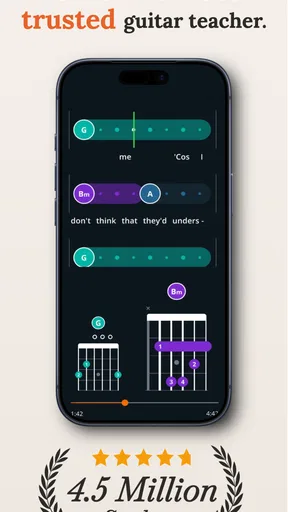
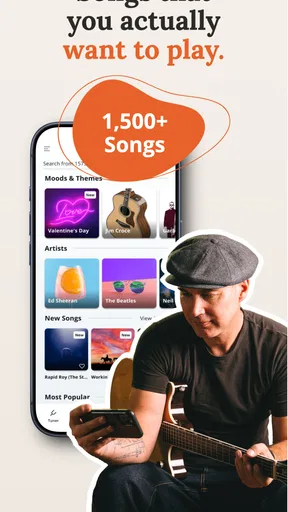
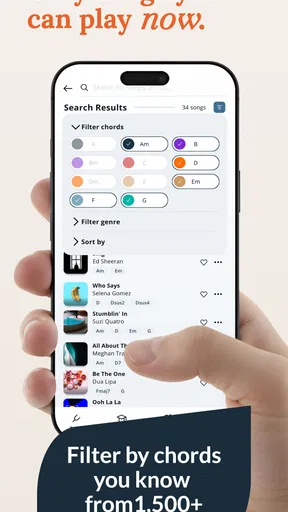
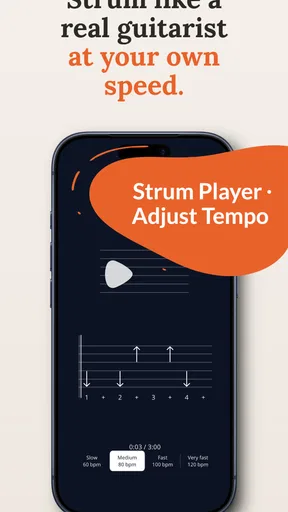
The app is packed with features that make learning guitar not only effective but also fun. There’s a vast library of songs that you can learn, ranging from classic rock to the latest pop hits. What’s cool is that you can play along with backing tracks, which makes you feel like you’re jamming with a band. Trust me, it’s a blast!
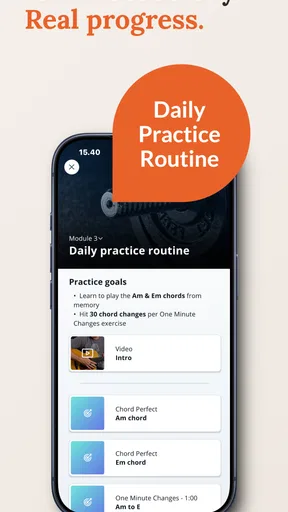
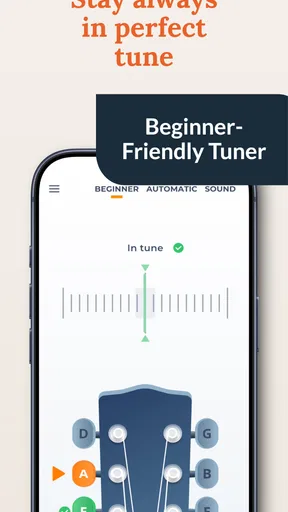
Another standout feature is the practice assistant. It helps you set goals, reminds you to practice, and tracks your progress. I found this particularly motivating, especially on days when you’re not feeling it. Plus, there’s a built-in metronome and tuner too, so you’ve got all your essentials in one place.
Learning at Your Own Pace
One thing I really appreciate about the Justin Guitar Lessons & Songs app is the flexibility it offers. You’re not tied to a strict schedule, which means you can learn at your own pace. Whether you’ve got 10 minutes or an hour to spare, you can squeeze in a lesson or two whenever it suits you.
The video lessons are clear and engaging. Justin’s teaching style is relaxed yet informative, and he has this way of making even the most complex techniques seem doable. It’s like having your own personal guitar teacher, but without the hefty price tag.
Community and Support
Another cool aspect is the community support. There’s a forum within the app where you can connect with other learners. It’s a great place to share your progress, ask questions, or just geek out about guitars. Plus, the Justin Guitar team is pretty active in there, offering tips and advice.
If you ever hit a snag, there’s also a Q&A section that covers pretty much everything you might need help with. It’s like having a safety net, which is reassuring, especially when you’re tackling those tricky barre chords.
Final Thoughts
All in all, the Justin Guitar Lessons & Songs app is a solid choice for anyone looking to learn guitar or improve their skills. It’s user-friendly, packed with features, and offers a ton of value. The app is free to download, with optional in-app purchases if you want to unlock even more content.
If you’re serious about learning guitar or just want to have some fun with it, I’d definitely recommend giving the app a shot. You never know, you might just discover your inner rock star!
Pros
- Extensive free content available.
- User-friendly interface for beginners.
- Wide variety of song tutorials.
- Quality video and audio lessons.
- Regular updates with new content.
Cons
- Limited offline access features.
- Requires account for full features.
- Ads can be slightly intrusive.
- Some advanced lessons are paid.
- Song library needs more diversity.
FAQs for Justin Guitar Lessons & Songs
What features does the Justin Guitar Lessons & Songs app offer?
The Justin Guitar Lessons & Songs app provides a comprehensive learning experience with step-by-step video lessons, a vast library of songs to practice, and interactive exercises. It also includes a tuner and metronome, making it an all-in-one tool for guitar learners of all levels.
Is Justin Guitar Lessons & Songs suitable for beginners?
Absolutely! The app is designed with beginners in mind, offering structured lessons that start from the basics. Justin Sandercoe, the instructor, explains each concept clearly, ensuring that even those new to guitar playing can follow along and progress at their own pace.
Does the app require a subscription?
While the Justin Guitar Lessons & Songs app offers some free content, access to the full library of lessons and songs typically requires a subscription. This subscription unlocks additional features and ensures users have a rich learning experience with continuous updates and new material.
Can I track my progress with the app?
Yes, the app provides tools to help track your progress. It includes practice routines, milestones, and personalized feedback to help you stay motivated and see your improvement over time. This feature is particularly beneficial for users who want to maintain a consistent practice schedule.
Are there any in-app purchases?
In addition to the subscription model, the app may offer in-app purchases for specific features or song packs. These purchases are optional and provide additional resources, allowing users to tailor their learning experience based on their preferences and needs.


